
eBay
The eBay integration brings orders and buyer messages from your seller account into Ritevo. You connect it by signing in to eBay as usual - no keys or passwords typed into Ritevo.
One eBay account is connected once; if you sell from several accounts, add each one as a separate integration.
The same eBay account can be connected only once. When you connect it again, Ritevo refreshes the existing integration and turns it back on, even if it was deleted.
Connecting the account
It takes a minute. Start in Ritevo:
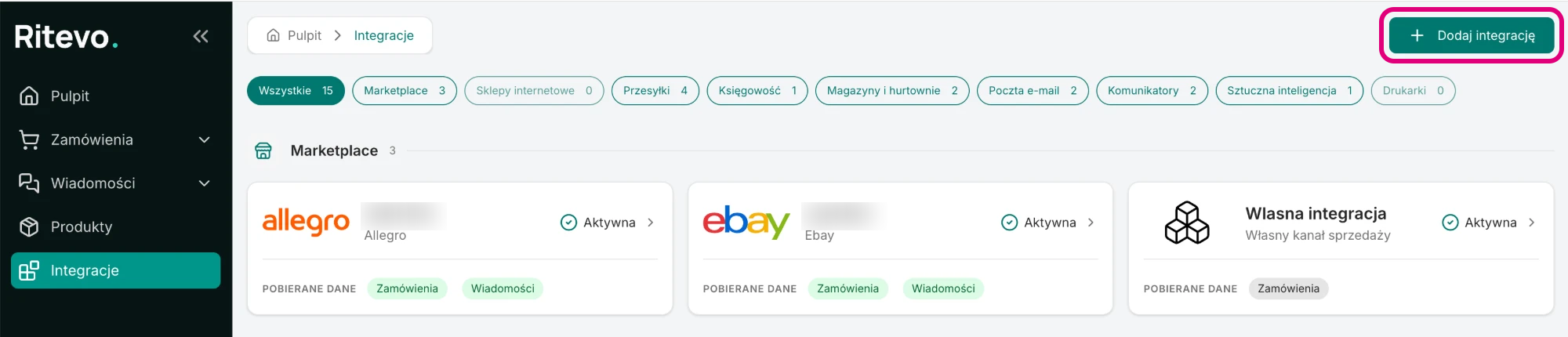
- Go to Integrations in the left panel and click Add integration in the top right corner.
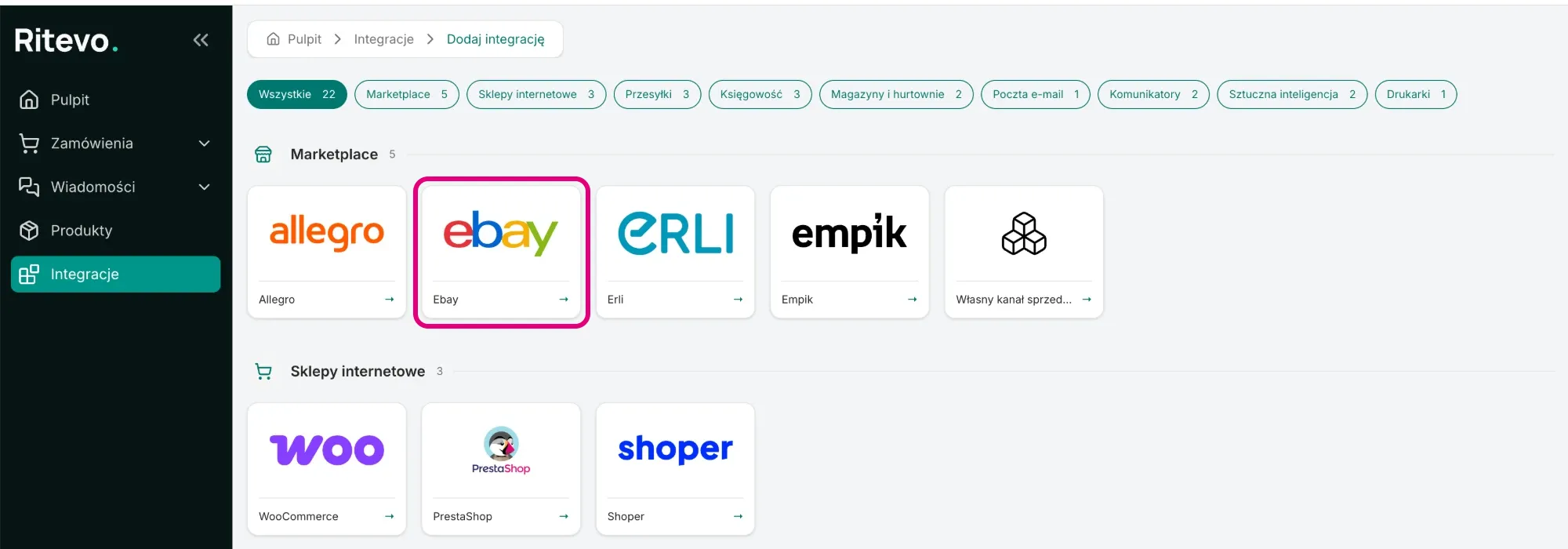
- In the Marketplace section pick the Ebay tile.
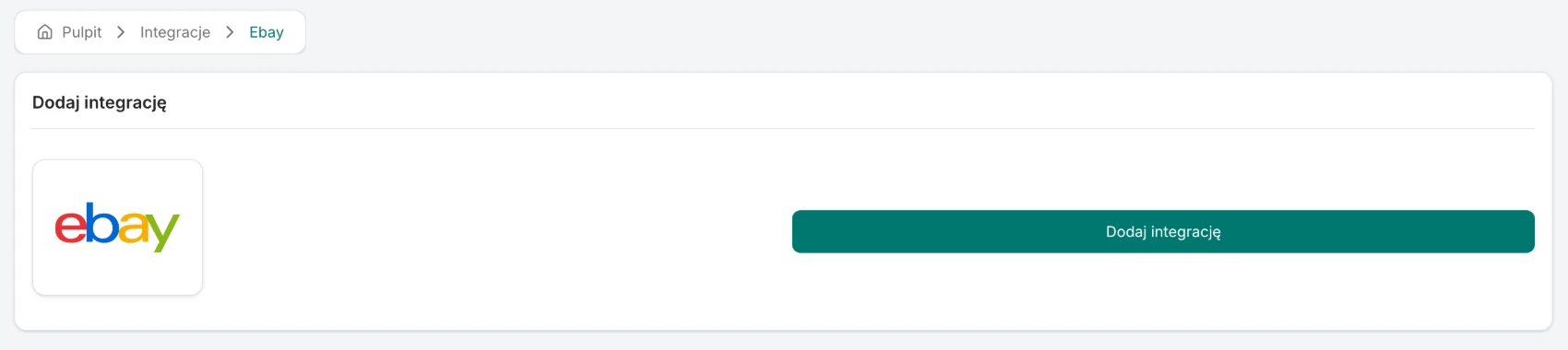
- Click Add integration. Ritevo redirects you to the eBay sign-in page.
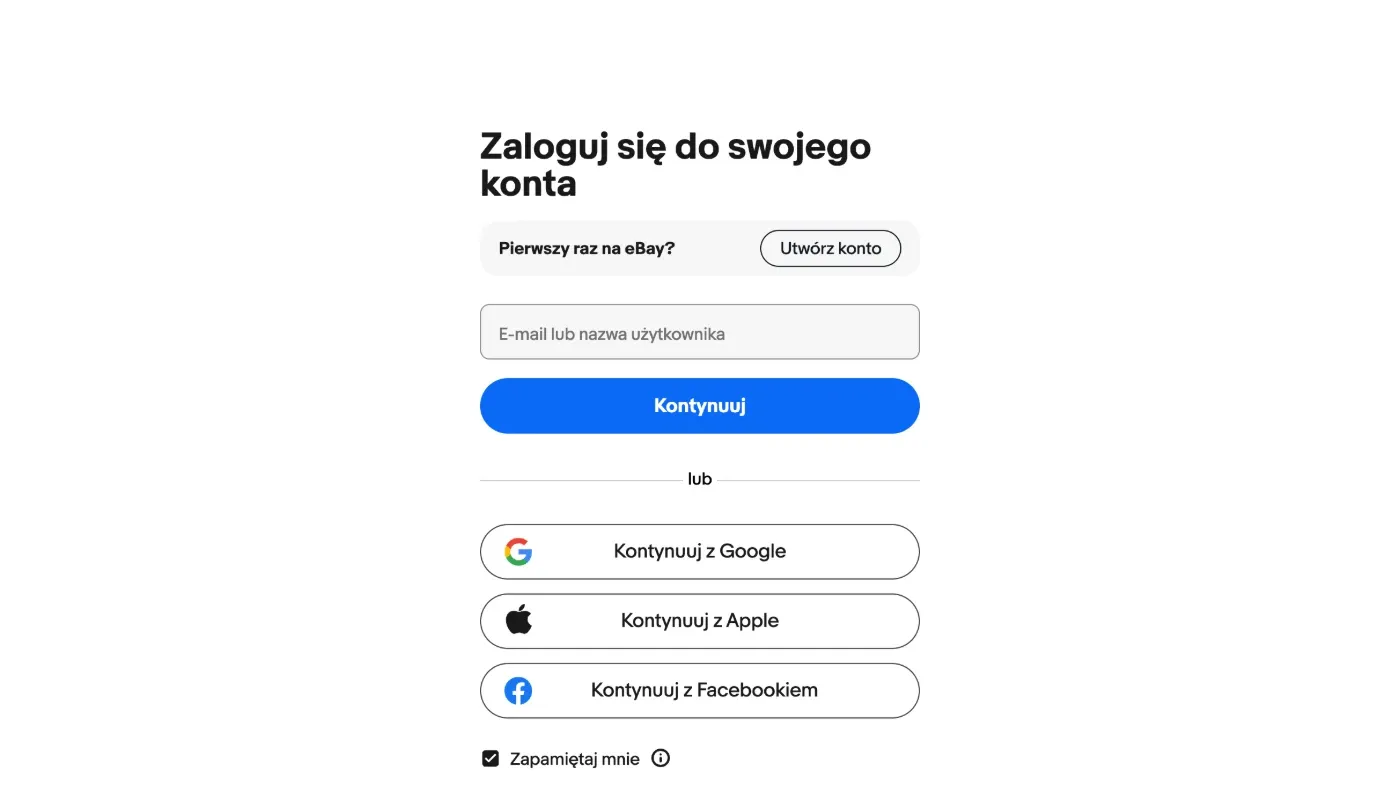
- Sign in to your seller account and approve access for Ritevo. eBay sends you back to Ritevo.
- Back in Ritevo, wait a moment - do not close the window. Once the integration has been added, its settings open.
Integration settings
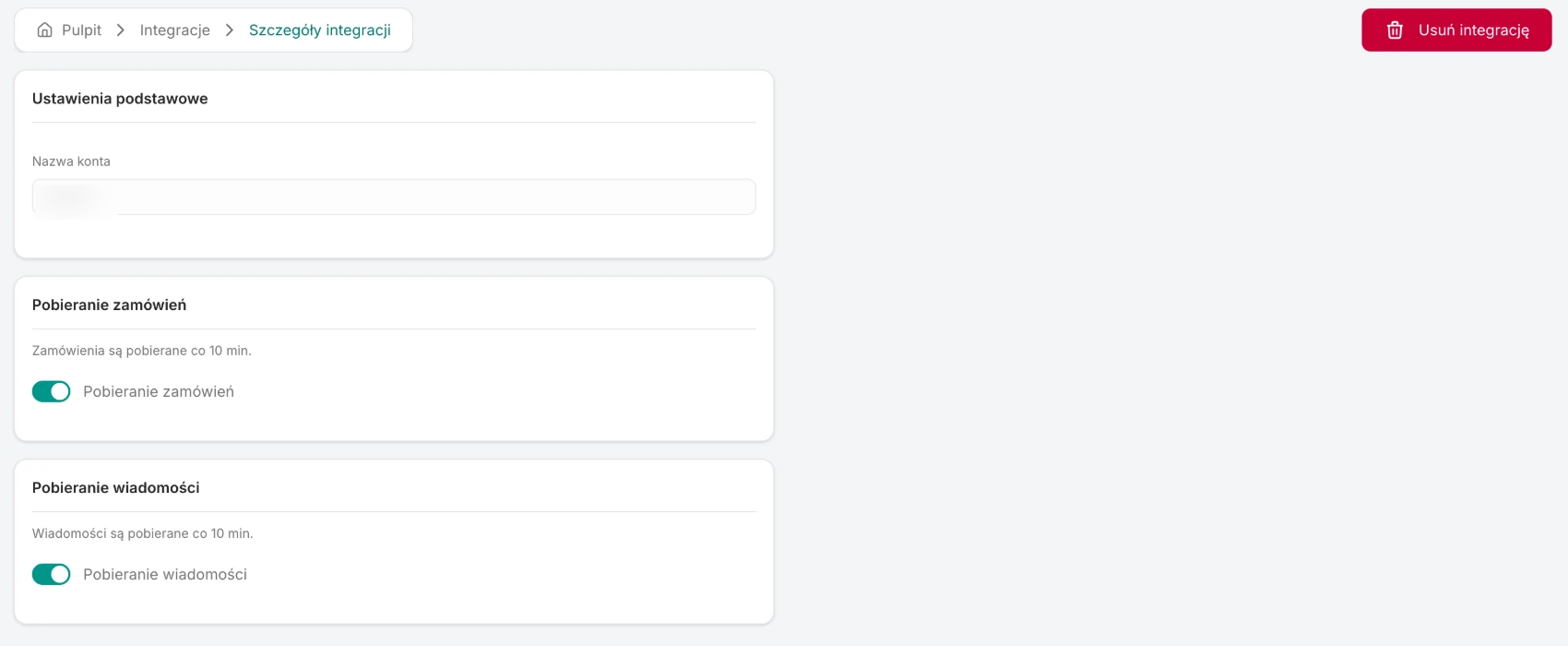
After connecting, the integration is Active, but order and message fetching are off - you turn them on yourself, separately:
- Account name - the login of your eBay account. Ritevo takes it from eBay; it cannot be changed.
- Fetch orders - once on, Ritevo checks for new and changed orders about every 10 minutes. The rules shared by all channels: Fetching orders.
- Fetch messages - once on, Ritevo fetches messages about every 10 minutes, reaching 7 days back on the first fetch. Shared rules: Fetching messages.
What this integration gives you
- Orders - new and updated eBay orders land in the orders table, with the buyer's details, delivery, line items and offer images.
- Messages - conversations with buyers land in the shared inbox. You reply from Ritevo, with images as attachments.
Orders from eBay
Ritevo fetches the whole eBay order: the buyer, payment, delivery, line items with prices (after discounts) and offer images. eBay's API exposes only paid orders ready for processing, so every one arrives in Ritevo as Confirmed. Cancellations, returns and disputes are handled on eBay's side - they do not change the status in Ritevo.
- Statuses and payments - eBay statuses and payment methods are translated to Ritevo statuses in one fixed way; marketplaces have no mappings of their own, unlike online stores. A cash-on-delivery order arrives as Awaiting payment with the Cash on delivery method.
- Pickup points - eBay does not provide them through the API; an order arrives with a delivery address.
- eBay International Shipping - the delivery address you see is the eBay hub you ship the parcel to, not the buyer's address.
- Additional services - not supported. This integration does not pass on services such as gift wrapping or carry-in. If you want to sell them, list them as a separate product or offer - they then show in the order as a regular line item. More about additional services.
- Invoice - if eBay provides the buyer's tax id or its equivalent, the order gets the Customer asks for an invoice flag with the company details and the number filled in.
Messages from eBay
- Buyer messages from your eBay inbox land in Ritevo. You reply from Ritevo; attachments can be images only (photos), which is how eBay works.
Reconnection required
This state appears when the permission granted to Ritevo in eBay has expired or was revoked - for example after a password change in eBay or after disconnecting the app in the account settings. Until you reconnect, Ritevo neither fetches nor sends any data on that account.
- Go through Connecting the account again, signing in to the same eBay account.
- Ritevo recognises the account by its identifier and refreshes the connection in the existing integration. The fetching settings and the history stay unchanged - no second integration is created.
Deleting the integration
Delete integration turns the integration off in Ritevo: it stops fetching and sending data, but what it fetched earlier stays. Restore integration turns it back on.
What the integration does not do
- It does not manage listings: it does not list, change prices or stock in eBay.