
Fetching orders
Ritevo checks your sales channels on its own and adds new orders to your list. There is nothing to import or refresh.
Turning fetching on and off
Order fetching is set separately for each integration. After you add a new integration it is off - until you turn it on, no orders are fetched from that channel.
To turn it on:
- Go to Integrations and open the integration you want to fetch orders from.
- Turn on the Fetch orders switch.
- Save your changes.
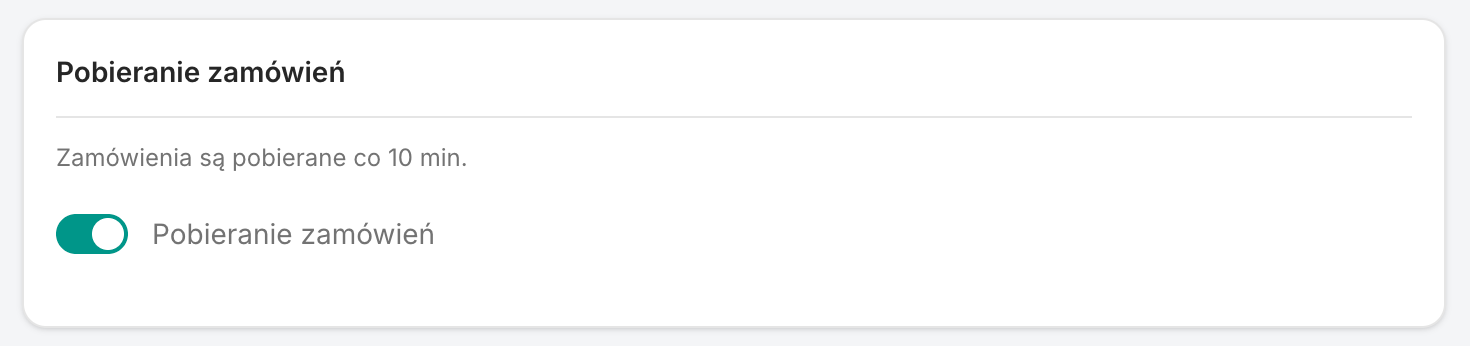
From then on we check that channel about every 10 minutes. You can turn fetching off at any time with the same switch. Orders fetched earlier stay in Ritevo, new ones from that integration simply stop coming in.
How often we check for orders
Each integration is checked about every 10 minutes, so a new order shows up on your list within a dozen or so minutes of being placed.
The first fetch reaches 7 days back, so your list does not start empty. Older orders are not fetched.
Where you will see a fetched order
A fetched order appears in the orders table right away. That is where you open it and handle it in Ritevo from then on.
Additional services
Some channels pass on services the buyer added to the order, for example gift wrapping, carry-in or assembly. Each service appears as a separate line item - even when it costs 0.00 - so you see it while handling the order and have it on the invoice.
- Service for a product - it has a service icon instead of a photo and the label Additional service, and the product it was bought with shows a badge with its name.
- Service for the whole order - it applies to the whole parcel, not one product, and has the label Service for the whole order.
- Packing assistant - services are not packed as pieces; you see them as badges on the product or in a separate card above the item list.
When a channel does not pass on services, you can list the service as a separate offer or product, for example Gift wrapping. It then arrives as a regular line item - Ritevo does not mark it as a service, because it receives it the same way as any product.
Whether a channel passes on services, and which ones, is described on its integration page, in the part about orders.
Who manages the order after it is fetched
That depends on the order's status in Ritevo.
Order not confirmed yet (for example Awaiting payment or Awaiting confirmation): if something changes in the sales channel, for example the customer pays, Ritevo updates the order on the next check. No second order is created.
Order with the Confirmed status: from this point the order is managed by Ritevo. Further changes coming from the sales channel are skipped, so they do not overwrite what you have set on your side. Among other things, we skip:
- a status change made in the sales channel,
- a change to the invoice details made in the sales channel,
- a shipping label generated in the sales channel.
You handle all of this in Ritevo now, and the data in Ritevo is the one that counts.
Orders appear even though fetching is off
This is not an error. It happens when message fetching is turned on for the integration.
In some integrations a message, dispute or claim refers to a specific order. When such a message arrives, Ritevo fetches that one order on its own, so you can see what the conversation is about straight away.
Only orders linked to messages are fetched this way. The rest of the orders from that channel are still not fetched until you turn on Fetch orders.
I cannot see an order
Check in this order:
- Is the integration Active.
- Is Fetch orders turned on - after adding an integration it is off by default.
- Have a dozen or so minutes passed since the order was placed.
- Is the order older than 7 days before the integration was added.