
Own sales channel
The own sales channel is an integration with no external system behind it. Most often it works as a POS - quick in-person sales: a customer buys in your physical shop or at a stand, and you add the order in Ritevo right away. It also suits orders taken by phone, by email or on a messenger. This way such orders have a source, just like orders from eBay or WooCommerce, and the same automatic actions, documents and shipments work on them.
You can create as many own channels as you like - for example one per point of sale (POS): a physical shop, a trade fair stand or phone sales. Each is a separate integration, so you can filter orders from each place separately and set separate automatic actions for them.
Connecting the account
Start in Ritevo:
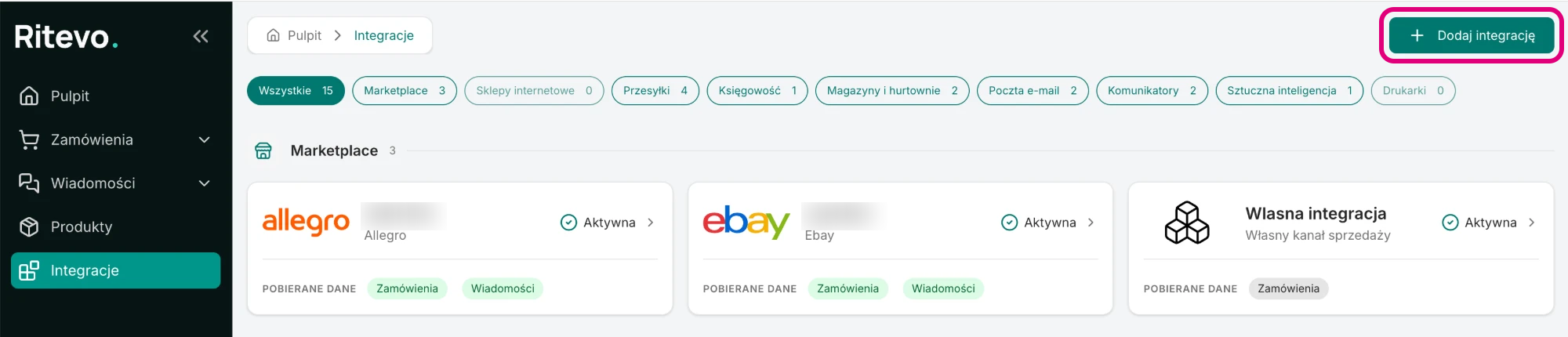
- Go to Integrations in the left panel and click Add integration in the top right corner.
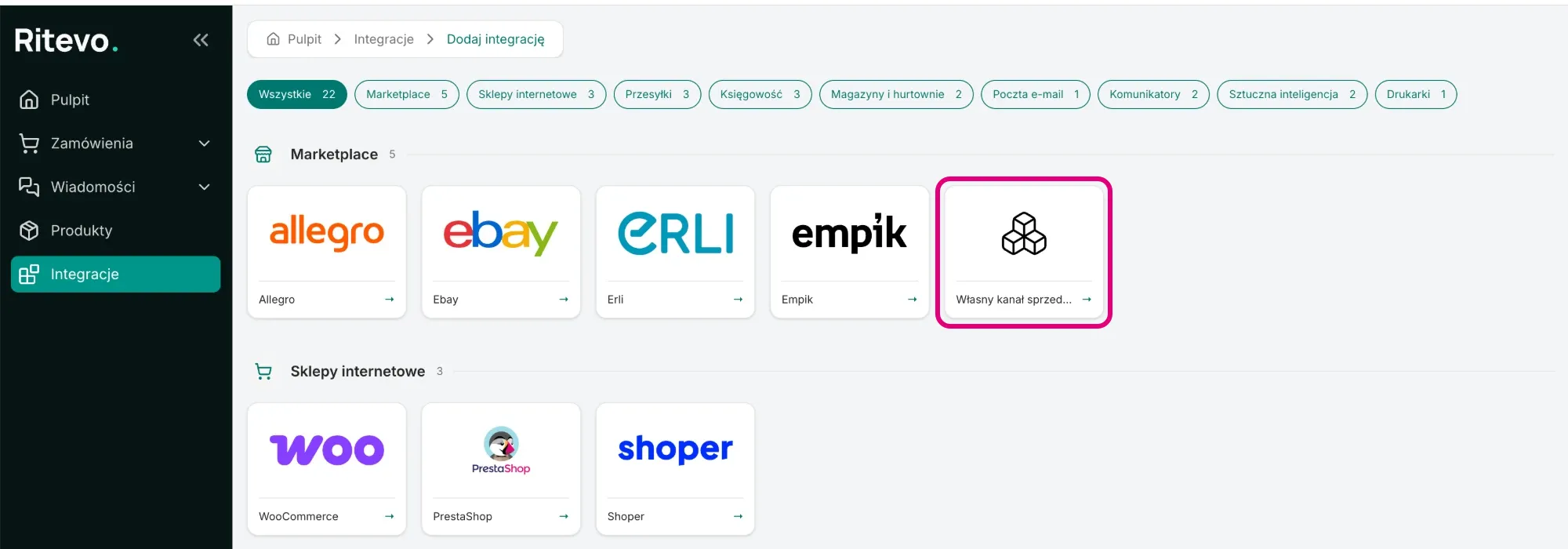
- In the Marketplace section pick the Own sales channel tile.
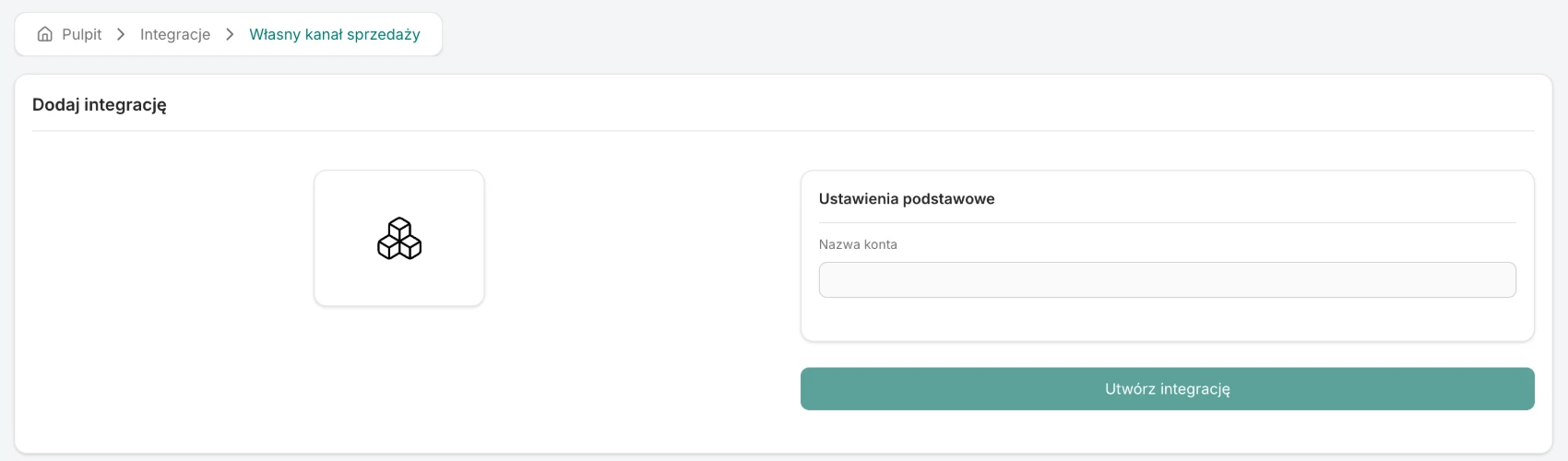
- Enter the Account name - any name you want to see this channel under, for example "Phone sales".
- Click Create integration. The new channel's settings open.
Channel settings
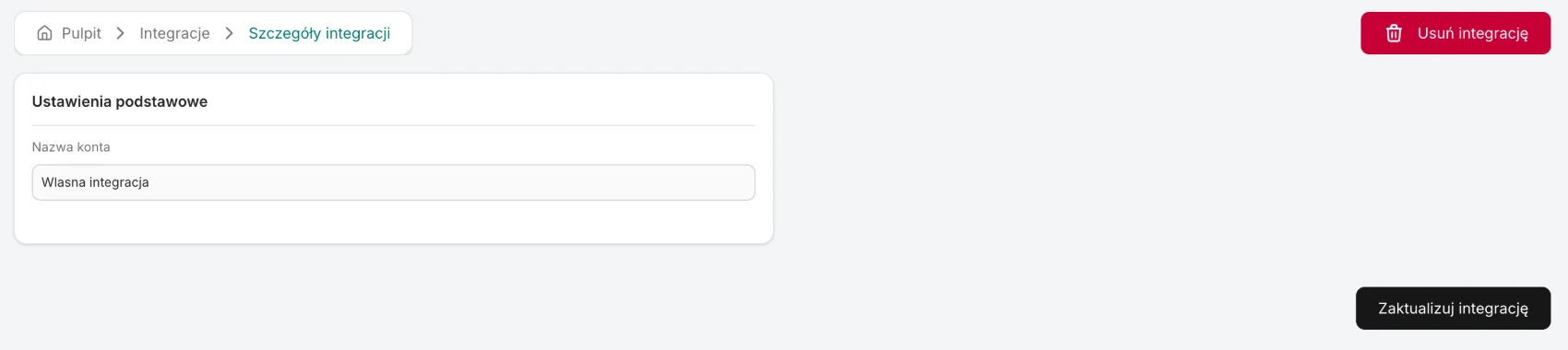
The own channel has only an Account name, which you can change at any time and save with Update integration. There is no order or message fetching - there is nothing to fetch from.
Orders in the own channel
You add an order by hand in the orders table, choosing this channel as its source. You fill in what you need: the buyer, invoice details, delivery, line items and payment. From then on it works like any other order in Ritevo - you can issue a document for it, create a shipment, change its status, and automatic actions with the Integration is condition set to this channel run just like for marketplaces.
Deleting the integration
Delete integration marks the channel as off on the integrations list; the orders added earlier stay, and the channel can still be chosen when adding an order by hand. Restore integration turns it back on.
What the integration does not do
- It fetches no orders or messages and updates no listings - it is only a source for orders added by hand.